
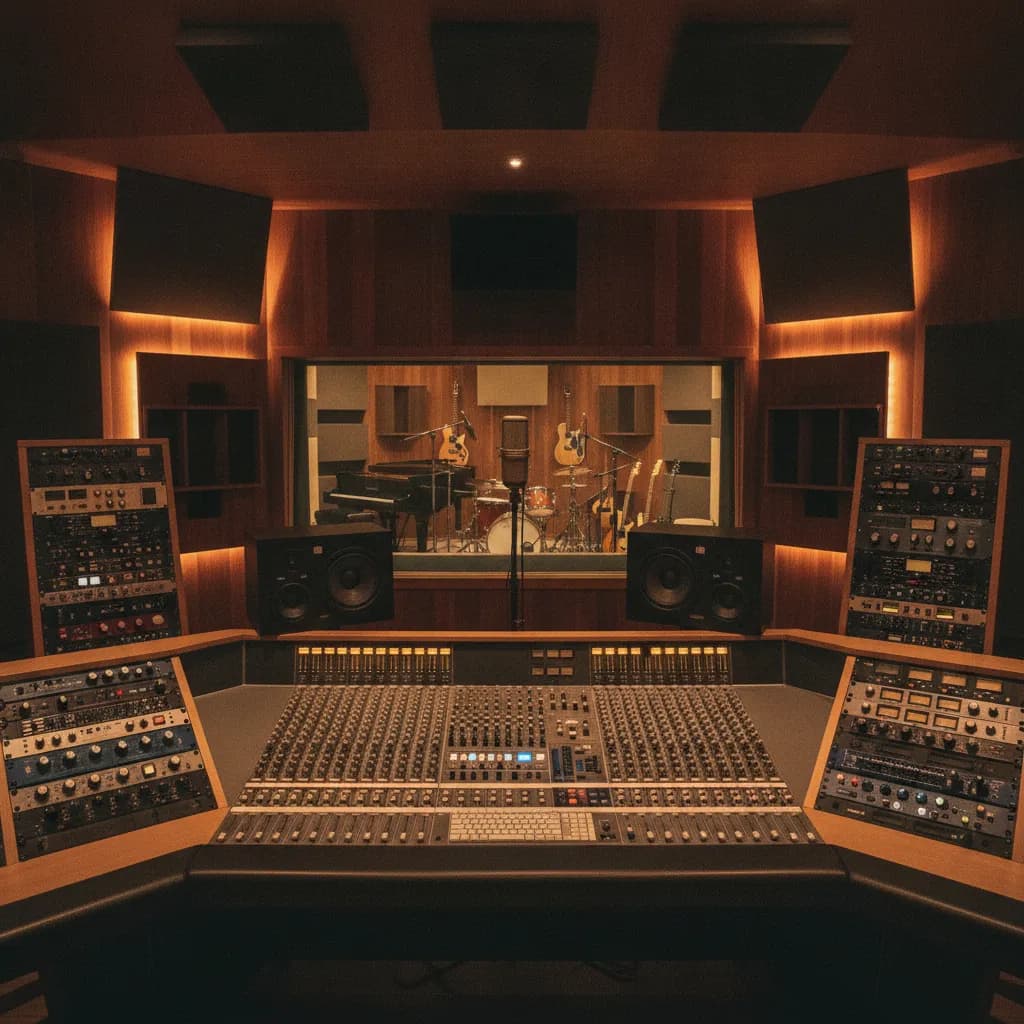
Bring your beat or backing track as a 24-bit WAV file, your lyrics printed on paper, two or three reference tracks, and your instrument freshly strung and in tune. Add a backup drive or cloud link, a water bottle, and a government-issued ID for session paperwork, and you are genuinely ready. Everything else — microphones, preamps, headphones, a DAW, and a trained engineer — is already waiting for you at the studio.
Why the list is shorter than you think
A professional recording studio exists specifically so you don't have to carry a recording rig across town. At Paradise Recording, every session books the whole studio (both rooms) and comes with an in-house engineer and a full signal chain — you are renting expertise and acoustics, not borrowing someone's gear closet. The items below are the things only you can supply: your performance, your creative direction, and the files that live on your phone or laptop.
That said, forgetting even one item on this list can cost you real money. Studio quality, engineer experience, preparation, and workflow efficiency all affect the final investment — and a two-minute phone hunt for lyrics is two minutes of billable time gone.
The checklist table
| Item | Why it matters | What happens if you forget |
|---|---|---|
| Beat / backing track — 24-bit WAV | WAV is uncompressed, keeping every bit of the original recording; it's the format you record and mix in, and the one you hand to a mastering engineer. | Engineer plays an MP3; you lose headroom and the mix sounds thinner before a note is sung |
| Stems (optional but smart) | Exporting uncompressed, individual WAV tracks lets you pass your tracks to mixing engineers or commercial artists without losing quality. | Engineer is locked to your pre-mix balance; can't pull the 808 down if it's clashing with your vocal |
| Backup copy (cloud or drive) | A USB drive or external hard drive should have at least 16–32 GB of free space; confirm whether the studio's computers are Mac or Windows formatted; cloud backup via Google Drive or Dropbox provides an additional safeguard if hardware fails. | One corrupted file = session cancelled |
| Lyrics — printed | Printed lyrics let you avoid reading from your phone, which breaks eye contact with the engineer and drains your battery | You're squinting at a screen in the booth, blowing takes on forgotten words |
| Reference tracks (2–3 songs) | Reference tracks show the engineer the sound you're after. Faster than describing "punchy but warm" for ten minutes | Engineer guesses at your sonic target; you spend 30 min dialling in a vibe that a 3-second clip would have solved |
| Instrument in playable condition | The integrity of the source signal is the single most critical variable in the recording chain; no amount of post-production processing can fully rectify a source that is mechanically compromised. | Dead strings, buzzing frets, or a rattling snare head eat the session |
| Fresh strings / new drum heads | Strings should ideally be changed before each day of tracking; bring spare strings, picks, leads, and batteries for active pickups. | Old strings sound dull and go out of tune under mic; you'll hear it on playback and wish you hadn't |
| Your own headphones (optional) | More often than not, the headphone selection is weak at studios — even when the mic closet is deep with U47s and old RCAs. Familiar cans help you perform better | Studio cans work fine; this is a comfort upgrade, not a requirement |
| Water — still, not sparkling | Still water keeps your voice hydrated. Carbonation causes burps on the mic | Dry throat, cracking takes, wasted time |
| Government-issued ID | Many studios require ID for session contracts and file-release paperwork | You may not be able to start; some studios won't hand over the session files without it |
Typical LA market rates for context: studio time in Los Angeles typically ranges from $35–$150 per hour, depending on the studio, equipment, and whether an engineer is included. Expect to spend from around $50 to $500 per hour when you rent a recording studio in Los Angeles, depending on the location, equipment, and amenities. At Paradise, sessions start at $160 for 2 hours, engineer included, and every booking is the whole studio — the Rainforest Room (vocals, podcasts) and the Rock Room (full band, baby grand, drum kit) both come with it.
Files and formats: the short version
To export stems for mixing, send WAV files at your original session sample rate, use 24-bit audio or your native session bit depth, make every file begin at the same starting point, turn normalization off, remove master bus limiting, label the tracks clearly, and include a rough mix so the engineer understands your direction.
If you only have a stereo beat (not stems), that is completely fine for a vocal session — just make sure it is WAV, not a 128 kbps MP3 downloaded from SoundCloud. If you are recording a full band in the Rock Room, stems matter more because the engineer may want to adjust individual elements against live drums.
Send your files to the studio before the session if you can. Finalised lyric sheets (printed and digital), reference tracks, session notes, and project files should ideally be shared 48 hours in advance. That way the engineer can load everything up before the clock starts.
Instruments and gear
Bring your own instrument if you have one — even in a studio with a world-class backline, personal instruments carry the advantage of familiarity. The Rock Room has a full drum kit and a baby grand piano in-house, so drummers and pianists can leave their gear at home.
If you prefer your own in-ear monitors or headphones, bring a quarter-inch adapter as well, since most studio headphone amps use that connection. And guitarists should always bring multiple thicknesses of picks.
One thing that surprises first-timers: arriving 10–15 minutes early to set up, warm up a little, and review the song structure saves actual recording time. At Paradise, the Metro E Line's Downtown Santa Monica terminus at 4th & Colorado is about a five-minute walk from the door at 1505 4th St, Ste 219 — so "traffic made me late" is genuinely avoidable if you take the train.
What you do NOT need to bring
- Microphones, cables, or preamps
- A DAW or laptop (unless you want to reference your own session files)
- An engineer (included in every Paradise session)
- Outboard gear or monitors
- A portable hard drive to receive your files (the studio will give you a download link — though bringing your own backup is still smart)
If you are working with a home-studio producer who wants to bring their own rig, that is a conversation to have with the studio in advance — not something to show up and surprise anyone with. See our honest comparison: Home Studio vs Professional Recording Studio.
Snacks and comfort
A recording session can last for hours, so bring water and light snacks; hunger or dehydration can affect your focus and performance. Granola bars, bananas, and carrots keep people focused and save time on food runs; avoid things that require assembly or heating — the point is to have something quick, not a distraction.
Santa Monica has plenty of grab-and-go options within a few blocks of the studio on the Third Street Promenade (two blocks away). Stock up before your session starts, not after the clock is running.
The honest caveat: sometimes less is more
The "entourage effect" — bringing non-essential friends or partners — is a documented productivity killer; as a rule of thumb, the fewer people in the room, the better; many top-tier producers prefer only the engineer, producer(s), and the musicians currently tracking to be in the room.
Bring your A-game, your files, and your collaborators. Leave the audience for the release show — Harvelle's, the Westside's oldest live-music room (open since 1931), is literally across 4th Street from the studio when that day comes.
For more on making your session count from minute one, see our guides: How to Prepare for Your First Recording Session and How many hours does it take to record a song?
Frequently asked questions
Do I need to bring my own microphone?
No. Every session at Paradise Recording includes the studio's microphone locker and signal chain, set up by the in-house engineer. Bringing your own mic is only worth considering if you have a specific mic you've already tested on your voice and prefer — and even then, check with the studio first to make sure it's compatible with the preamps in use.
What file format should my beat be in?
WAV is uncompressed, keeping every bit of the original recording; it's the format you record and mix in. Aim for 24-bit at whatever sample rate your DAW uses (44.1 kHz or 48 kHz are both fine). If all you have is an MP3, bring it — the session can still happen — but WAV is always better. See Do recording studios provide an engineer? for more on what the engineer does with your files.
Should I memorize my lyrics or can I read from a sheet?
Memorized is ideal — it frees you to focus on performance and emotion rather than words. But printed paper is a solid backup. Reading from your phone is the worst option: the screen dims, notifications pop up, and the glow can be distracting in a dark booth. Print the lyrics, mark your breath points, and keep the paper on a music stand inside the booth.
What happens to my session files after the session?
Ask the studio about their file-retention policy before you leave. You should never leave a session assuming your files are safe on the studio drive. At Paradise, your engineer will help you get a copy of your raw tracks before you walk out. Bring a USB drive or have a cloud folder ready to receive them — see How long does mixing and mastering take? if you're planning post-production next.
Do I need to bring my own headphones?
The studio provides headphones, so no. That said, it is better to bring your own set of headphones if possible, as it can improve your recording efficiency especially during long sessions — just check that your headphones are compatible with the studio's equipment before bringing them in.
How early should I arrive?
Aim for 10–15 minutes before your booked start time. Arriving early to set up, warm up a little, and review the song structure saves actual recording time. The parking structures on 4th and 5th Street in downtown Santa Monica start with free hours, so a short session often costs nothing to park — but factor in a few minutes to walk from the garage.
Next steps
- Book a session
- View the Rainforest Room (vocals, podcasts)
- View the Rock Room (bands, full kit, baby grand)
- Mixing and mastering services
- Membership options
- How to Prepare for Your First Recording Session
- First time recording studio Los Angeles: what to expect
Facts and prices on this page last verified 2026-08-07 by the Paradise Recording team.