
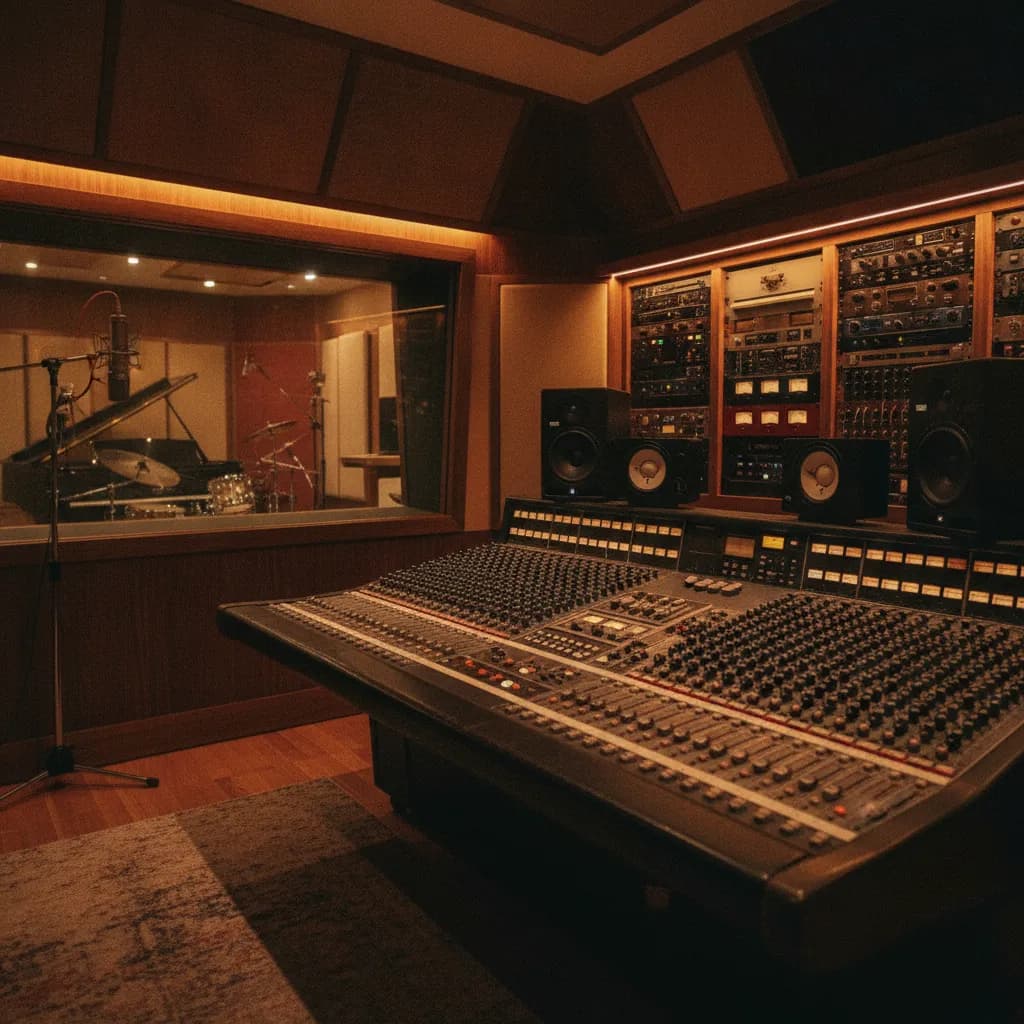
A click track is not mandatory — jazz trios, folk recordings, and plenty of rock albums were made without one. What a click actually buys you is a locked tempo grid: clean edit windows, sample replacement that lines up first time, tempo-synced delays that breathe with the song, and overdubs you can drop in six months later without a timing fight. If any of those matter to your project, the click is worth learning before you walk in the door.
At Paradise Recording in Santa Monica — every booking includes the Rock Room for full bands and the Rainforest Room for vocals and solo overdubs — the in-house engineer sets up and adjusts the click between every take at no extra charge. That means experimenting costs you nothing but time.
1. Lock your tempo before you arrive
If you and your band are thinking of using a click, it is important to practice with one in rehearsal before you record — this helps you choose the correct tempos for songs and get used to them before you enter the pressurized environment of the studio.
Here is a simple pre-production routine:
- Tap it at rehearsal. Use a phone metronome app or DAW tap-tempo. Run through the whole song and note the BPM that feels natural in the room.
- Log a BPM per song. Write it down. Bring the list to the session.
- Test it against your fastest lyric line. If there are vocals, it is critical to make sure the singer can clearly enunciate the lyrics at the tempo you choose — just because a tempo may feel good for the drummer does not mean it is best for the overall song.
- Watch for studio excitement. Sometimes the tempos you choose in pre-production may suddenly feel too slow once you get in the studio, but it is important to mitigate that excitement so you do not end up with a bunch of overly fast renditions of the tunes.
2. Click sound and subdivision
A basic click track plays the quarter-note pulse of the rhythmic meter you specify in the song's time signature. This works well for most musical situations — but it is not always perfect for very fast or very slow tempos, and in those situations you may need to change the click behavior for a more comfortable tempo reference.
Practical choices:
- Slow songs: If you are working with a very slow tempo, it can be helpful to have the click fall on each eighth note rather than each quarter note — this helps lock in the tempo and avoids a "swimming" feeling that can occur when there is too much time between each click.
- Fast songs: For fast tempos, using a half-note click can reduce clutter from too many pulses on the rapid quarter notes.
- Click sound: Beeps are functional but fatiguing. Avoid tones with any sustain or overtones that can muddy your mix, or anything too shrill. Some drummers prefer a click with an accent on the first beat of each measure, while others prefer a flat click with no accents. Wood blocks, rim clicks, or a soft clave often sit better in headphone mixes over a long session.
- Two-bar count-in: Always use at least a two-bar count-in so players can feel the tempo before the downbeat lands.
- Route it only where it needs to go. You must use headphones — with speakers muted — when recording to a click track, and closed-back headphones if possible, otherwise the click leaks straight into the microphone. In a band tracking situation, the drummer typically hears the click; other players often prefer to lock off the drummer and do not need it in their mix at all.
3. The two weeks before your session
Failure to prepare for the studio by learning to play to a click will result in a very frustrated engineer, a deflated you, wasted studio time, and perhaps the worst of all — a sub-par final product. Two weeks is enough to fix that, if you practice deliberately.
Start slow, build up. The simplest way to practice rhythm with a metronome is to play with it set to a slow beat and then gradually speed up as you get more comfortable. The key to nailing technically difficult sections is to slow the tempo of the click right down — sometimes by more than half — and practice those parts slowly over and over. A target of 60–70% of your final BPM is a good starting point.
Drop the click every four bars. Set the metronome to mute for a four-bar window, then come back in. If you land on the downbeat when it returns, your internal clock is solid. If you drift, that is the gap to close before the session.
Record yourself. When you watch a recording of yourself playing to a click, you will be able to see whether you stayed on it — watching recordings of yourself is the best way to improve, because it lets you notice things you would not have caught while playing.
One honest warning for bands booking the studio (the Rock Room live room is part of every booking): drummers who have not practiced with a click can become so frustrated in the studio environment that the session breaks down — they simply have not had enough time to practice with it, and then find themselves using a foreign technique for the first time under pressure. Learn the click at home. Do not burn your first hour of a two-hour, $160 session on what is essentially a lesson.
4. Tempo maps and small BPM lifts into choruses
A single, locked BPM is the simplest approach — and for most pop, hip-hop, and punk recordings it is exactly right. But if a rigid grid makes your song feel stiff, a tempo map is the professional solution.
Creating a tempo map in your DAW enables you to introduce small tempo variations — perhaps increasing the speed slightly in a chorus or decreasing in a verse — adding a natural pull and push that playing to a rigid tempo click can remove.
A simple example is a slight increase in tempo during a chorus relative to a verse — a live band might do this almost subconsciously, adding to the excitement of the song. However, if the same band have to follow a fixed-tempo click in the studio, they might find it difficult to capture the essence of what gives the live performance some of its character.
In practice: a lift of 1–3 BPM into the chorus is often enough to restore the energy without creating an editing headache. A good way of creating a tempo map is to base it on a rehearsal recording of the song — many DAWs offer built-in automatic tempo detection, which can quickly create a tempo map based on transient detection, but you could also use a tap-tempo feature or manually map the tempo.
Ask the engineer to set this up before tracking begins. Because Paradise's engineer is included in every session, discussing tempo-map options between takes costs you nothing.
5. When to skip the click entirely
The question to ask is whether a click track destroys the feel of your song, or whether it sounds essentially the same but with more rhythmic consistency. If the song has completely lost its character with the click, even with multiple rehearsals and adjustments, you are left with two options: either program a tempo map at varying tempos, or put away the metronome and concentrate on performing your best in "human time."
Skip the click when:
- The song is built on intentional tempo drift — folk, free jazz, classical guitar, spoken word.
- The arrangement is sparse enough that editing will be minimal and overdubs are unlikely.
- Every player has already tracked together live and the performance is the take.
Even then, your engineer can record the free performance and build a tempo map afterward, mapping the tempo changes so the resulting click track follows the artist's performance in perfect sync — giving any future overdub musicians a click that breathes with the original recording.
Click track setup at a glance
| Musical scenario | Recommended subdivision | Count-in length | Who hears the click |
|---|---|---|---|
| Mid-tempo rock / pop (80–130 BPM) | Quarter notes | 2 bars | Drummer only (or all, via separate headphone mix) |
| Slow ballad / R&B (50–75 BPM) | Eighth notes | 2 bars | Drummer + vocalist if requested |
| Fast punk / metal (140+ BPM) | Half notes | 1 bar | Drummer only |
| Vocal / podcast overdub (no live kit) | Quarter notes | 1–2 bars | Vocalist / host only |
| Free-time folk / jazz | No click — tempo map post-tracking | N/A | N/A |
Frequently asked questions
Does the engineer at Paradise set up the click, or do I have to bring my own?
The in-house engineer handles all click setup — tempo, subdivision, count-in length, and headphone routing. Every Paradise session includes the engineer, so just bring your BPM list and they will handle the rest. See what a recording engineer does for more on what that covers.
What BPM should I use if I have never timed my song?
Tap along to the song on your phone's metronome app during rehearsal and note the number. Then test it against the section that feels hardest to sing or play. You need to allow time to set tempos, practice at the documented tempos, and slowly adjust the tempos upward until you reach the final "pocket." Bring that final number to the session.
Will recording to a click make my performance sound robotic?
The idea that metronome clicks make music boring is mostly a myth — it is perfectly possible to play expressive rhythms and stay locked into a tempo. Once you have the click thing down, you not only get used to it, you can push and pull a little and play around it.
How much does it cost to record at Paradise Recording?
Sessions start at $160 for 2 hours, and every booking is the whole studio — the Rock Room with its full kit, baby grand, and band setup, plus the Rainforest Room for vocals and overdubs. The engineer is always included (every rate). LA recording studio rates typically range from $30–$100/hour for project studios to $500/hour for world-class facilities, and most studios offer block booking discounts and package deals.
Should the whole band hear the click, or just the drummer?
Even in a live studio recording, the click is usually sent to the drummer — it is just the way to go, and most big-time studio drummers want one. Other players can receive it too, but many prefer to lock off the drummer's solid tempo and play freely against it. Ask your engineer to route separate headphone mixes before tracking starts.
What if my song genuinely needs to speed up in the chorus?
Use a tempo map. Even with sequenced music written and performed only in a studio context, it can be worth adding a BPM or two to the chorus section to see what effect it might have. A 1–3 BPM lift is usually invisible to the listener and very natural to play. Set it up before any live audio is tracked.
Next steps
- Book a session
- Explore the Rock Room
- Explore the Rainforest Room
- How to prepare for your first recording session
- How to record a band live in studio
- How many hours does it take to record a song?
Facts and prices on this page last verified 2026-08-30 by the Paradise Recording team.