
What do you need to record a podcast?
At minimum: one microphone per person, one pair of closed-back headphones per person, a multi-input audio interface or mixer that records separate tracks per mic, and a room with enough acoustic treatment to keep echo off your voice. For a solo show, that list is short and cheap. For two or more hosts — or any remote guests — each requirement multiplies, and the room becomes the hardest part to get right at home.
The non-negotiables, one by one
One microphone per person
A solo show needs one mic, a co-host setup needs two, and group podcasts require a multi-mic arrangement. Dynamic microphones are the most common choice for podcasting because they reject background noise well. Place the mic about four to six inches from your mouth and adjust your gain so it doesn't clip.
Separate tracks — this is non-negotiable
Recording everyone to a single mixed file is the most common mistake new podcasters make, and it cannot be fixed in post.
Multitrack recording captures each speaker to a separate file, which is what makes surgical editing possible later. Fixing one person's levels or removing their cough is trivial on separate tracks and impossible on a mixed one.
Once you introduce guests, remote recordings, or multiple contributors, the margin for error gets much smaller. A single mixed file locks problems together — if one person has background hiss and another sounds fine, noise reduction on the whole file may damage both voices.
To capture separate tracks in-person, you can use an audio interface like the RØDECaster Pro or Focusrite Scarlett 18i8 to connect multiple microphones to your recording software — this setup gives you clear, isolated audio for each speaker, ideal for professional post-production.
Headphones per person
Headphones are a vital part of the podcast equipment lineup. More than 70% of podcasters record with headphones on. You should constantly monitor your recordings, even during a solo show — using headphones while recording lets you hear exactly what's being captured, so if there are issues you can fix them right away. For multi-host shows, with separate headphones, you can hear yourself and your co-host, catch audio issues as they happen, and avoid feedback or lag.
An acoustically treated room
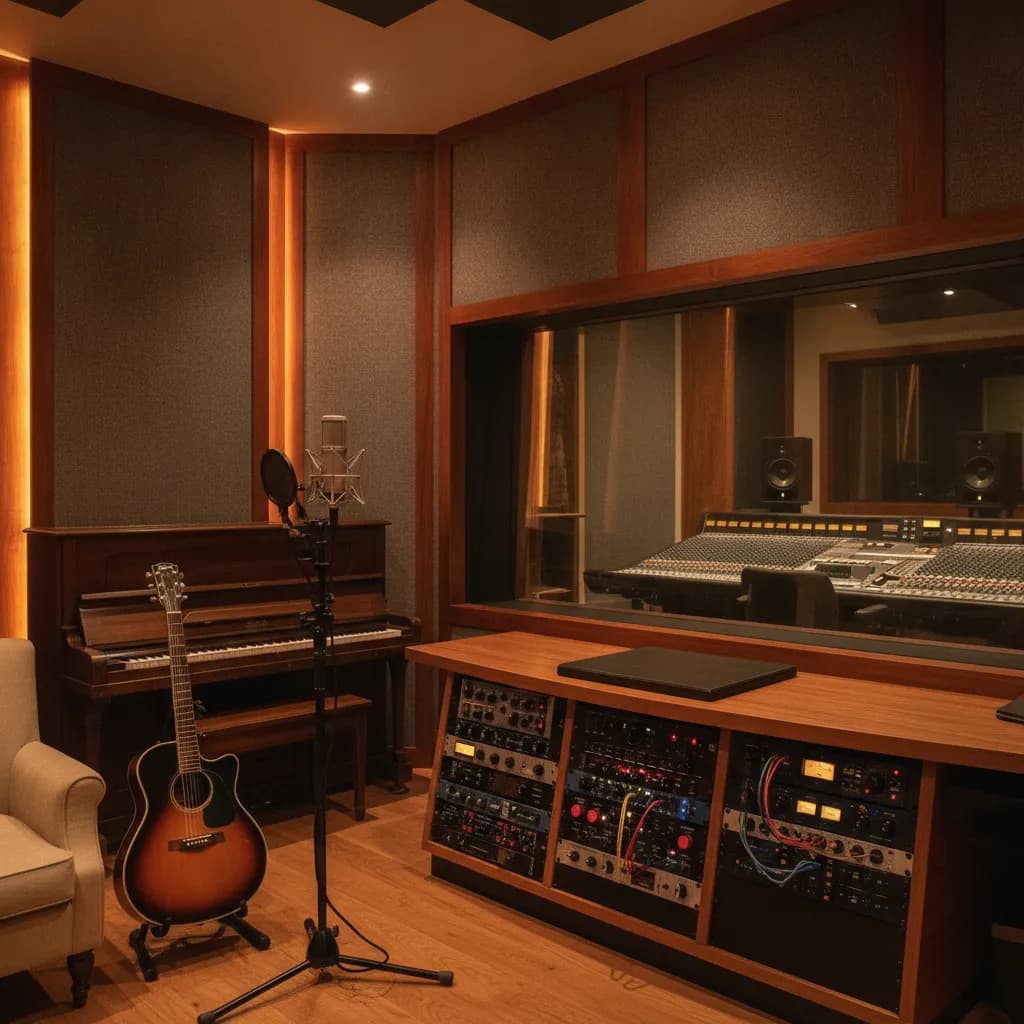
You can have the best podcast equipment and setup in the world, but if you stick it all in a poor-quality room, your show will sound terrible. At home, a home office with soft furnishings, carpet, and bookshelves is workable — but only if it's genuinely quiet. Parallel hard walls, HVAC hum, and street noise are the usual killers.
Technical recording settings
Professional podcast recordings should use at least 44.1 kHz and 16-bit, with 24-bit preferred for post-production flexibility, and should be saved as uncompressed WAV or AIFF.
Remote guests
For remote recording, Riverside.fm and Squadcast remain the industry leaders in 2026, recording each guest locally at up to 48 kHz WAV quality, then syncing tracks in the cloud. This eliminates the quality degradation of Zoom-style compression. The safest belt-and-suspenders approach: a double-ender is still the safest option for important interviews — each participant records a local track on their own device while the platform captures the call separately, so if the internet stutters or the call audio gets compressed, post-production still has cleaner source files to work from.
Setup comparison: what you actually need vs. what it costs
The table below compares three real scenarios. Home setup costs are honest DIY ranges; LA studio rates are typical market ranges drawn from 2026 booking data.
| Setup | Mics needed | Separate tracks? | Headphone mixes | Room treatment | Typical cost to start |
|---|---|---|---|---|---|
| Solo, home | 1 dynamic XLR | Yes (1-input interface) | 1 pair | DIY soft furnishings | $200–$600 one-time gear |
| 2-host, home | 2 dynamic XLR | Yes (multi-input interface required) | 2 pairs | Treated room or vocal booth | $600–$2,000+ gear + treatment |
| Studio session (LA) | Provided | Yes — handled by engineer | Provided per person | Professionally treated | $75–$200/hr typical LA range |
| Paradise (whole studio, engineer included) | Provided | Yes — in-house engineer | Provided | Professionally treated | $80/hr (2-hr block at $160) |
A basic room with a microphone and no help runs about $75 to $150 per hour at the low end of the LA market. Based on rates published by ten Los Angeles studios, the median starting rate is $100/hr, with studios ranging from $18/hr to $250/hr. A bare-bones audio-only room with basic mics will cost less than a full video production suite. Some studios quote a low hourly rate but then add fees for an engineer, camera use, or premium microphones — so the final bill can be much higher than the sticker price suggests.
Home studio vs. professional studio: the honest tradeoff
If you're a solo host with a quiet room and a decent dynamic mic, a home setup is genuinely fine for most shows. The economics favor home once you're recording more than a few times a month.
The calculus shifts for multi-guest shows. Building a quality home studio can cost $2,000–$10,000+ upfront for equipment, soundproofing, and cameras. That's before you account for the learning curve of running your own session. If you're early-stage, occasional studio time is often cheaper than building a proper multi-mic home rig — and you walk out with files that are already engineered correctly.
The honest middle ground: record at a studio for your first few episodes to learn what "right" sounds like, then decide whether to invest in home gear.
The Rainforest Room at Paradise Recording
If you're in the LA area and want a professionally treated room without a full music studio budget, the Rainforest Room at Paradise Recording is built specifically for vocals, voiceover, and podcasts. Sessions start at $160 for two hours, take the whole studio, and include an in-house engineer — so separate tracks, gain-staging, and headphone mixes are handled for you. The studio is open 9 am–2 am daily at 1505 4th St, Ste 219 in Santa Monica, a five-minute walk from the Metro E Line's Downtown Santa Monica terminus at 4th & Colorado. Parking in the city-run structures on 4th and 5th Streets starts with free hours, so a short session often costs nothing to park.
For two-host or multi-guest episodes, see our full guide on podcast recording studio Los Angeles two hosts and where to record a podcast in Los Angeles. If you want to understand what mixing and mastering your finished audio will add to the budget, our mixing and mastering services page has current pricing.
Frequently asked questions
Do I need a separate microphone for each podcast guest?
Yes — always. When two people host a show, you need equipment that handles multiple audio sources. Each host should have their own dedicated microphone to ensure voices are captured at the best possible quality — this way, voices don't blend together and the mic doesn't pick up background noise and room echo. Sharing a single mic between two people makes clean editing nearly impossible.
Can I record a podcast on my phone or laptop mic?
Technically yes; professionally, no. Built-in microphones pick up keyboard noise, room echo, and handling vibration. They also record everything to a single channel with no separation. The result is audio that signals low production value to listeners from the first few seconds.
What's the difference between an audio interface and a mixer for podcasting?
Both route microphones into your computer, but a mixer blends signals before recording while a multi-input interface routes each mic to its own track in your DAW. A mixer or audio interface with multiple inputs makes it possible for you to record on separate tracks and adjust audio levels per person. For podcasting, prioritize whichever device lets you record separate tracks — that's the feature that matters most in editing.
How do I handle a remote guest and keep audio quality high?
If you use an online service such as Riverside or Zencastr, these services record separate tracks for each host and guest on your podcast. Ask your guest to use wired headphones, close other browser tabs, and record in the quietest room available. A local backup recording on their end (a voice memo app works) is cheap insurance against a dropped connection.
Is a home studio or a professional studio better for a podcast?
It depends on your show format and episode frequency. A solo show in a quiet, furnished room can sound excellent from home for a few hundred dollars in gear. Multi-host or multi-guest shows need more investment in interfaces, headphone mixes, and room treatment — at which point occasional studio time is often cheaper and faster. See our home studio vs. professional recording studio guide for a full cost comparison.
How long does a typical podcast recording session take?
Most episodes record in one to two hours of actual studio time, depending on episode length and how much off-the-cuff conversation you do. Budget an extra 30 minutes for setup, mic checks, and a brief listen-back. A two-hour block is the right starting point for most solo or two-host shows; move to a four-hour block if you're recording multiple episodes back-to-back. Book a session to lock in your slot.
Next steps
- Book a session — whole-studio sessions start at $160/2 hrs, engineer included
- See the Rainforest Room — specs, gear, and photos
- Mixing and mastering — post-production pricing for finished episodes
- Paradise membership — worth it if you record weekly
- Podcast studio rental cost Los Angeles 2026 — full market rate breakdown
- How to prepare for your first recording session — pre-session checklist
Facts and prices on this page last verified 2026-08-24 by the Paradise Recording team.